How to Crop Image in Photoshop: Easy Step-by-Step Guide
How to crop image in Photoshop is one of the first things every beginner should learn. Cropping means cutting away the extra parts of a photo and keeping only the important area. It is like trimming the edges of a paper picture so the main subject looks clear, clean, and beautiful.
If you make YouTube thumbnails, blog images, product photos, social media posts, school projects, or website graphics, cropping can make your image look much better. The good news is that Photoshop makes cropping very easy. Even if you are new, you can learn it in a few minutes.
In this guide, you will learn how to crop image in Photoshop step by step, how to use crop ratios, how to crop without losing quality, and how to save the final image properly.
able of Contents
- What Does Cropping Mean?
- Why Crop an Image in Photoshop?
- How to Crop Image in Photoshop
- How to Crop with a Fixed Size
- How to Crop for Social Media
- How to Crop Without Losing Quality
- Common Mistakes to Avoid
- Best Online Crop Tools
- FAQs
ToolsMPro
Image Cropping Flexible Pro Tool
Aspect Ratio
Adjustments
Upload an image to start editing
How to use
- Manual Crop: Use the handles on the image corners.
- Move/Zoom: Use the toolbar on the right.
- Preset: Choose 16:9, 4:3 etc. for social media.
- Save: Click download to save high quality PNG.
Supports HD export. Fully secure - images are processed in your browser.
What Does Cropping Mean?
Cropping means removing unwanted parts from an image. For example, if a photo has too much empty space, a messy background, or extra objects on the side, you can crop the image and keep only the best part.
Cropping helps your photo look focused. It tells the viewer, “Look here, this is the main thing.” That is why designers, photographers, bloggers, and video creators use cropping every day.
Why Crop an Image in Photoshop?
Photoshop is a powerful image editing software. You can crop images in many simple and advanced ways. You can crop freely, crop in a fixed size, crop for YouTube, crop for Instagram, crop for websites, or crop for printing.
Here are some main reasons to crop an image:
- Remove unwanted background
- Focus on the main object
- Make the image fit a specific size
- Create better thumbnails
- Improve photo composition
- Make product photos look cleaner
- Prepare images for blogs and websites
- Resize visuals for social media
When you know how to crop image in Photoshop, you can make your pictures look more professional without doing heavy editing.
How to Crop Image in Photoshop Step by Step
Follow these simple steps to crop your photo in Photoshop.
Step 1: Open Your Image in Photoshop
First, open Photoshop on your computer. Then click on File and choose Open. Select the image you want to crop.
You can also drag and drop your image directly into Photoshop. Once the image opens, you are ready to start.
Step 2: Select the Crop Tool
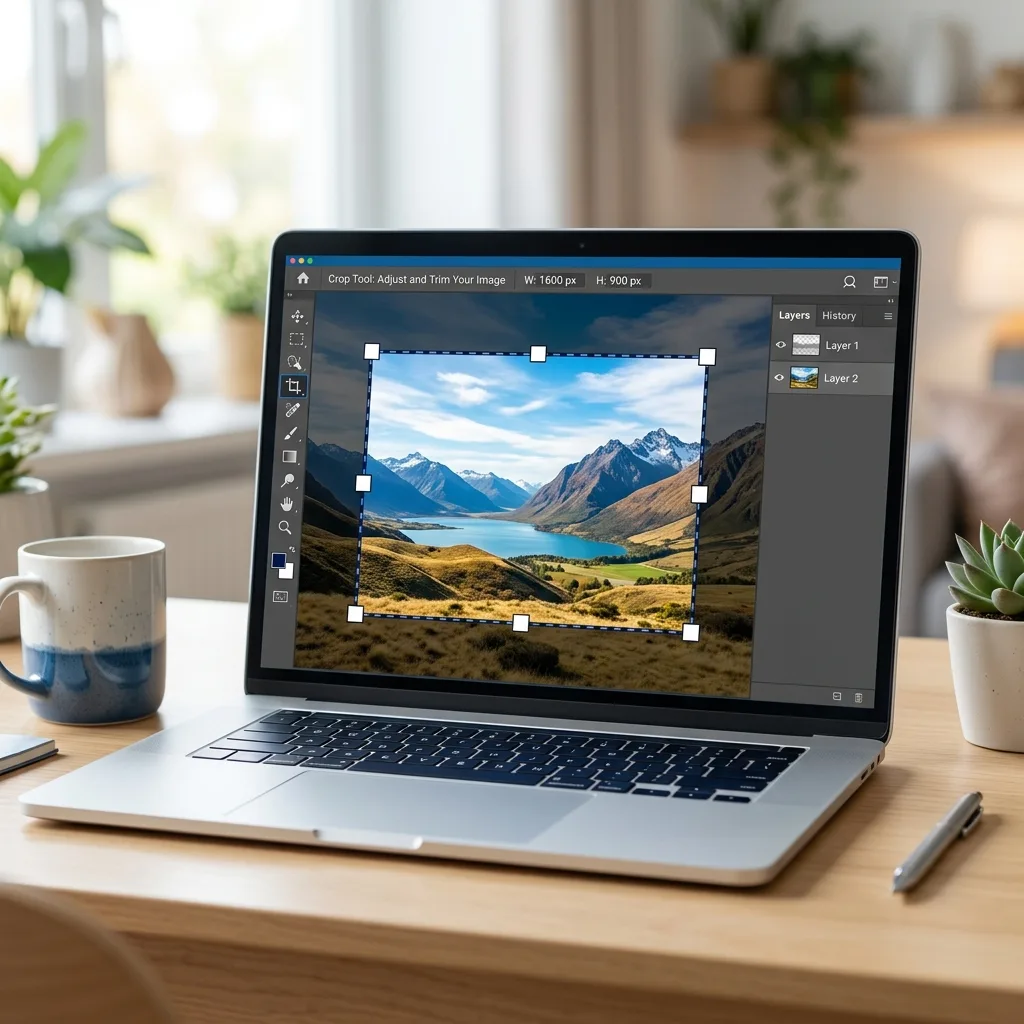
Look at the left toolbar. Find the Crop Tool. It usually looks like two crossing corner lines. You can also press the shortcut key C on your keyboard.
The Crop Tool allows you to select the area you want to keep and remove everything outside that area. Adobe also explains that the Crop Tool is used to select an area of a photo and remove everything outside the selected area.
Step 3: Adjust the Crop Box
After selecting the Crop Tool, you will see a border around your image. This is the crop box.
Click and drag the corners or sides of the crop box. Move it until the important part of your photo is inside the box. Anything outside the box will be removed after cropping.
Step 4: Move the Image Inside the Crop Area
You can click inside the crop box and move the image. This helps you place the subject in the best position.
For example, if you are cropping a face photo, keep the face in the center or slightly to one side. If you are cropping a product image, keep the product clear and balanced.
Step 5: Press Enter to Apply Crop
When your crop looks good, press Enter on your keyboard. You can also click the checkmark icon at the top.
Now your image is cropped.
That is the basic answer to how to crop image in Photoshop. Simple, clean, and done.
How to Crop Image in Photoshop with a Fixed Ratio
Sometimes you need a fixed shape or size. For example:
- 1:1 for square profile photo
- 16:9 for YouTube thumbnail
- 9:16 for YouTube Shorts or Instagram Reels
- 4:5 for Instagram post
- 3:2 for blog or photography
To crop with a fixed ratio:
- Select the Crop Tool.
- Go to the top options bar.
- Click the ratio dropdown.
- Choose a preset ratio or enter your own.
- Adjust the crop box.
- Press Enter.
This is very useful when you want your image to fit perfectly on a platform.
How to Crop Image in Photoshop for YouTube Thumbnail
YouTube thumbnails usually work best in a 16:9 ratio. If you want to make a thumbnail, use the Crop Tool and select 16:9 from the top bar.
Keep the main subject big and clear. Do not leave too much empty space. If you are adding text, leave space on one side. A good thumbnail should be easy to understand even on a small mobile screen.
For YouTube, crop your image like this:
- Use 16:9 ratio
- Keep the face or product large
- Leave space for title text
- Avoid cutting important parts
- Keep the background clean
Learning how to crop image in Photoshop for YouTube can help your videos look more clickable.
How to Crop Image in Photoshop for Instagram
Instagram uses different sizes for different post types.
For a square post, use 1:1.
For a portrait post, use 4:5.
For Reels and Stories, use 9:16.
If you are making Instagram content, crop your image based on where you will post it. A wrong crop can cut faces, text, or products. So always check the final preview before saving.
How to Crop Without Losing Quality
Cropping removes pixels from the image. If you crop too much, the image may become small or blurry. So you should crop carefully.
Here are simple tips:
- Start with a high-quality image
- Do not crop too close unless needed
- Avoid enlarging a small cropped image too much
- Save in the right format
- Use PNG for sharp graphics
- Use JPG for normal photos
- Keep the original file safe
If your image is already small, do not crop a tiny part and stretch it. That will make it blurry. Photoshop is powerful, but it cannot magically create perfect detail from a very tiny image. Tech has limits, sadly. No wizard hat included.
How to Crop and Straighten an Image
Sometimes a photo is tilted. The horizon or object may look slanted. Photoshop lets you crop and straighten at the same time.
Use the Crop Tool, then move your cursor near the corner of the crop box. You will see a rotate icon. Drag it slightly to rotate the image. Adjust until the photo looks straight, then press Enter.
This is helpful for:
- Landscape photos
- Product photos
- Document photos
- Building photos
- Travel photos
A straight image looks more professional and clean.
How to Crop Image in Photoshop Without Deleting Pixels
Photoshop has an option called Delete Cropped Pixels. If this option is turned on, Photoshop permanently removes the outside area. If it is turned off, Photoshop hides the cropped area, and you can bring it back later.
For beginners, it is safer to turn off Delete Cropped Pixels. This gives you more control if you want to change the crop later.
Steps:
- Select the Crop Tool.
- Look at the top options bar.
- Uncheck Delete Cropped Pixels.
- Crop your image.
- Press Enter.
Now your crop is more flexible.
Best Online Tools Similar to Photoshop Crop
If you do not have Photoshop, you can also use online crop tools. These tools are helpful for quick edits.
You can use Adobe Express to crop an image online by uploading a photo, dragging the crop handles, and downloading the final image.
Another simple option is Canva, which offers crop tools, aspect ratios, and design features for social media images.
You can also try iLoveIMG if you want to crop JPG, PNG, or GIF images by defining a rectangle in pixels.
These tools are good for fast cropping, but Photoshop gives more control for professional editing.
Common Mistakes When Cropping Images
Many beginners make small mistakes while cropping. Avoid these:
Cropping Too Much
If you crop too close, the image may feel tight. Leave a little breathing space around the subject.
Cutting Important Parts
Do not cut hands, heads, product edges, or important text unless it is part of the design.
Using the Wrong Ratio
If you crop a YouTube thumbnail in a square shape, it may not fit well. Always choose the correct ratio.
Ignoring Image Quality
A badly cropped low-quality image can look blurry. Use high-resolution photos when possible.
Not Saving a Copy
Always keep the original image safe. Save the cropped version as a new file.
Best File Format After Cropping
After you crop your image, you need to save it properly.
Use JPG if your image is a normal photo. JPG file size is usually smaller and good for websites.
Use PNG if your image has text, graphics, logos, or transparent background. PNG keeps sharp edges better.
Use WebP if you want faster website loading. WebP is great for modern websites because it keeps quality while reducing file size.
For SEO, always compress your image before uploading it to your website. A heavy image can slow down your page, and slow pages can hurt user experience.
SEO Tips for Cropped Images
If you are uploading cropped images to a blog or tool website, follow these SEO tips:
- Use a clear file name
- Add focus keyword in alt text
- Compress the image
- Use proper image size
- Add image title if needed
- Use WebP format when possible
- Keep the image relevant to the page
Example file name:
how-to-crop-image-in-photoshop.webp
Example alt text:
how to crop image in photoshop step by step
This helps search engines understand your image better.
FAQs About How to Crop Image in Photoshop
What is the shortcut key for Crop Tool in Photoshop?
The shortcut key for the Crop Tool is C. Press C on your keyboard, and the Crop Tool will be selected.
Can I crop image in Photoshop for free?
Photoshop is paid software, but Adobe may offer trials or plans. If you want free options, you can use online tools like Adobe Express, Canva, or iLoveIMG.
Does cropping reduce image quality?
Cropping does not damage the image in the same way as heavy compression, but it removes pixels. If you crop too much and then enlarge the image, it can look blurry.
What is the best crop ratio for YouTube thumbnail?
The best crop ratio for YouTube thumbnail is 16:9.
What is the best crop ratio for Instagram post?
For Instagram, use 1:1 for square posts and 4:5 for portrait posts.
Can I undo crop in Photoshop?
Yes. You can press Ctrl + Z to undo. If you turned off Delete Cropped Pixels, you can also adjust the crop later.
How do I crop image in Photoshop without changing quality?
Use a high-resolution image, avoid cropping too much, and save in a good format like PNG or high-quality JPG.
Final Words
Now you know how to crop image in Photoshop in a simple way. First, open your image. Then select the Crop Tool, adjust the crop box, choose the right ratio, and press Enter. That is it.
Cropping may look like a small edit, but it can completely change how your image feels. A messy photo can become clean. A boring picture can become focused. A weak thumbnail can become more clickable.
If you are making blog images, YouTube thumbnails, social media posts, or product photos, learning how to crop image in Photoshop is a must-have skill. Start with simple crops, test different ratios, and always keep your original image safe.
The best crop is not always the tightest crop. The best crop is the one that makes the image easy to understand.